
What is Apple Music Downloader?
Apple-music-downloader.com is a free online tool that converts Apple Music tracks, albums, and playlists to high-quality MP3 files. Downloads include album artwork, artist name, and full metadata so your library stays organized. No software, no browser extensions, no signup — just paste the Apple Music URL and download.
Our service works on every modern browser and any operating system. You can save Apple Music to your iPhone, Android phone, Mac, Windows PC, or Linux computer in just a few clicks. Listen offline forever, transfer to other devices, or back up your library — once you download, the MP3 belongs to you.
How to Download Apple Music to MP3
Step 1: Open Apple Music in your browser at music.apple.com, or in the Apple Music app on your phone or computer.
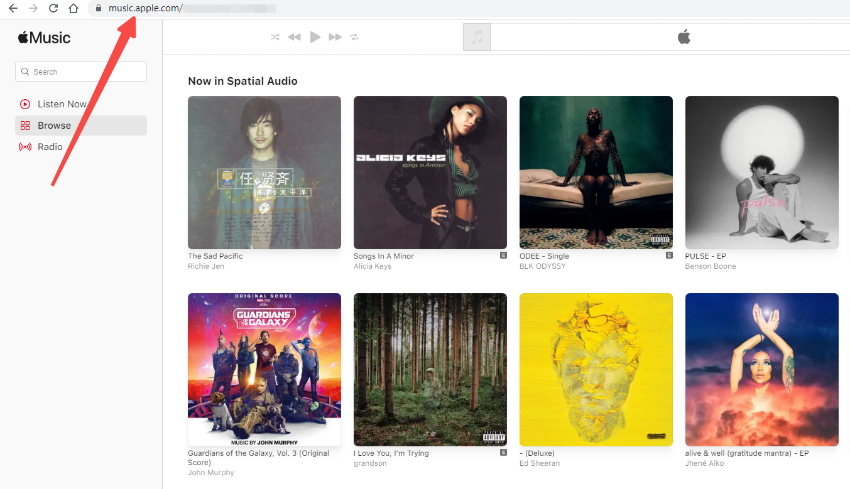
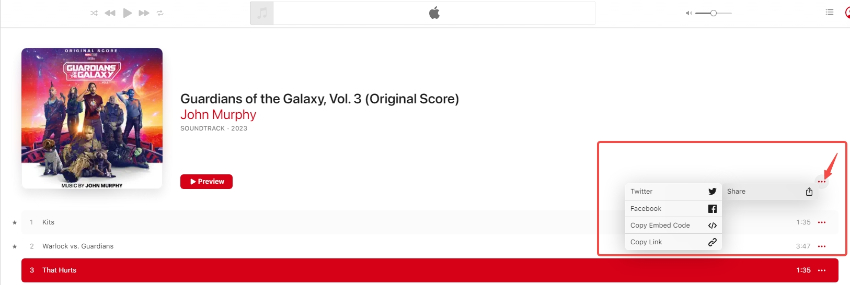
Step 2: Find the song, album, or playlist you want. Click the three dots (…), choose "Share", then "Copy Link" to copy the Apple Music URL.
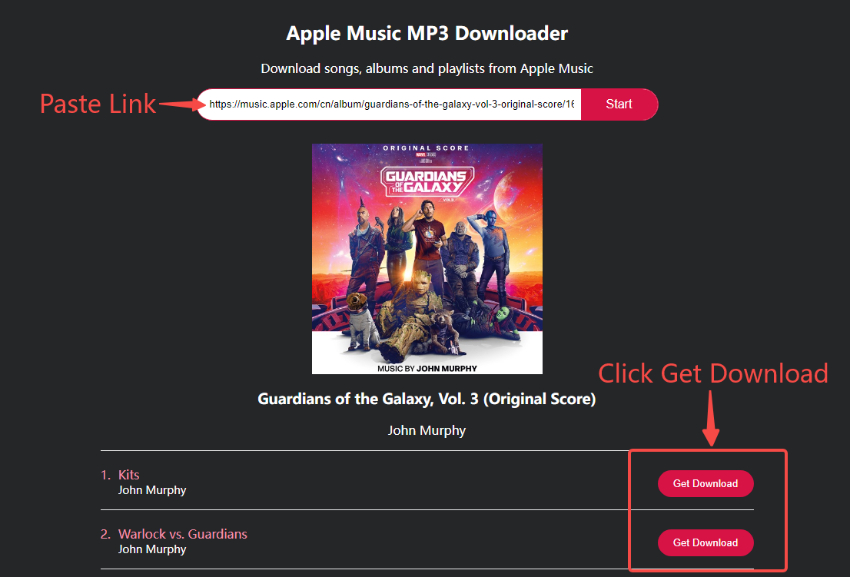
Step 3: Paste the URL into the search box above and click "Start". Your Apple Music link will be analyzed in seconds.
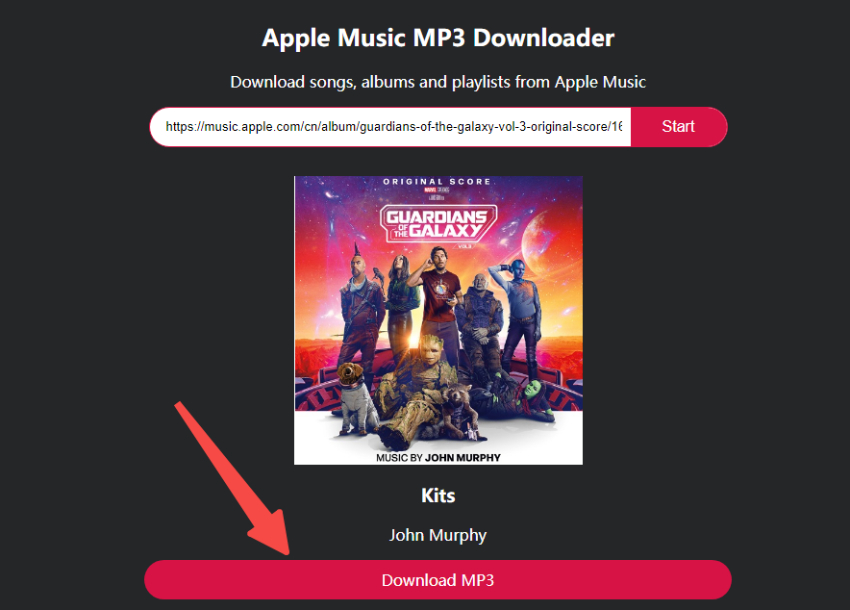
Step 4: Click "Download MP3" to save the high-quality MP3 file to your device with full metadata.
Why Use Apple Music Downloader?
Fast & 100% Free
Convert Apple Music songs to MP3 in seconds. No hidden charges, no premium tiers, no daily limits — always 100% free.
No Installation Required
Works entirely in your browser. No software, no extensions, no Android APKs to install. Convert Apple Music to MP3 on iPhone, iPad, Android, Mac, Windows, and Linux.
All Devices & Browsers
Compatible with iPhone, Android, Windows, Mac, and Linux. Use Chrome, Safari, Firefox, Edge, or any modern browser to download Apple Music tracks.
High-Quality MP3 Audio
Downloads preserve the original audio quality at up to 320kbps for the best offline listening experience.
Cover Art & Full Metadata
Each downloaded MP3 includes album artwork, artist name, track title, album name, and release year — your library stays clean and organized.
Private & Secure
All connections use HTTPS encryption. We don't store your files, track your activity, or require a sign-up.
Frequently Asked Questions
1. Is there a free Apple Music to MP3 converter?
Yes. Apple-music-downloader.com converts Apple Music songs to MP3 completely free, with no daily limits, no signup, and no premium tier.
2. How do I download an Apple Music song?
Copy the song link from Apple Music (using the Share menu), paste it into the search box, and click Start. Then click Download MP3 to save the file.
3. Do I need to install any software?
No. Apple Music Downloader runs entirely in your browser. There is nothing to install — no app, no extension, no plugin.
4. Can I download Apple Music to my iPhone or Android?
Yes. Our tool works on mobile browsers for both Android and iOS. You can save Apple Music tracks directly to your phone's downloads folder.
5. Is there a daily download limit?
No. Download as many Apple Music songs, albums, and playlists as you want — completely free and unlimited.
6. Can I keep the downloaded MP3 files forever?
Yes. MP3 files are saved to your device and available for offline listening indefinitely. They are yours to keep, transfer, or back up.
7. Does it work with albums and playlists?
Yes. Paste an Apple Music album or playlist URL to download all tracks at once. Each MP3 is saved with the album artwork and metadata.
8. What audio quality do I get?
Downloads are encoded at up to 320kbps MP3 — the highest standard MP3 quality, indistinguishable from the original streaming source for most listeners.
9. Is it safe to use Apple Music Downloader?
Yes. All connections use HTTPS encryption, we never collect personal data, and there is no signup or registration. We don't store your downloads on our servers.
10. Why convert Apple Music to MP3 instead of using the app?
Apple Music's app downloads work only within Apple's ecosystem and require an active subscription. MP3 files have no DRM, no subscription requirement, and play on any device — phones, MP3 players, car stereos, smart speakers, anything.